Day - 3, Harness Test
Conducted test on a neutral Code base, and ran a comparison
Problem statement
1. Comparison experiment: Pick a codebase you know well and a non-trivial modification task. First, run the agent with no harness support and record failures. Then add an AGENTS.md and explicit verification commands, and run again with the same agent. Compare the two results.
Directory Structure
I created a very basic codebase consisting of:
textindex.html
index.js
styles.css
The experiment directory looked like this:
text.
├── harness
│   ├── AGENT.md
│   ├── ARCHITECTURE.md
│   ├── DESIGN
│   │   ├── core.md
│   │   ├── docs
│   │   │   ├── ui.md
│   │   │   ├── ux.md
│   │   │   └── visual-system.md
│   │   └── index.md
│   ├── harness.md
│   ├── index.html
│   ├── index.js
│   ├── notes
│   │   ├── blog-1.md
│   │   ├── blog-2.md
│   │   └── blog-3.md
│   ├── RULES.md
│   └── styles.css
├── original
│   ├── index.html
│   ├── index.js
│   ├── notes
│   │   ├── blog-1.md
│   │   ├── blog-2.md
│   │   └── blog-3.md
│   └── styles.css
└── stat
    ├── index.html
    ├── index.js
    ├── notes
    │   ├── blog-1.md
    │   ├── blog-2.md
    │   └── blog-3.md
    ├── stat.md
    └── styles.css

9 directories, 28 files
You can check the code at: https://github.com/dezzki/harness-engineerring/tree/main/Lectures/lecture-01/exercise/01
What I found
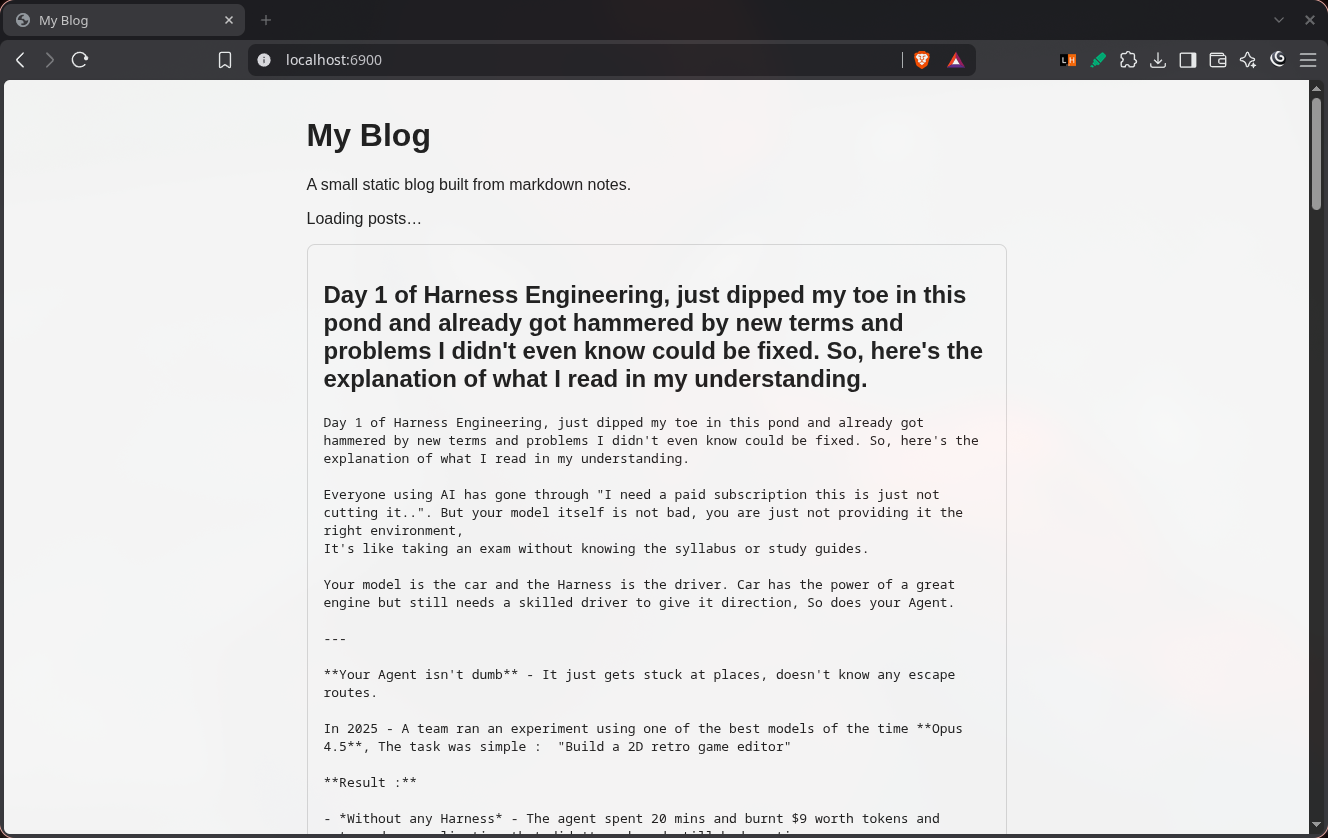
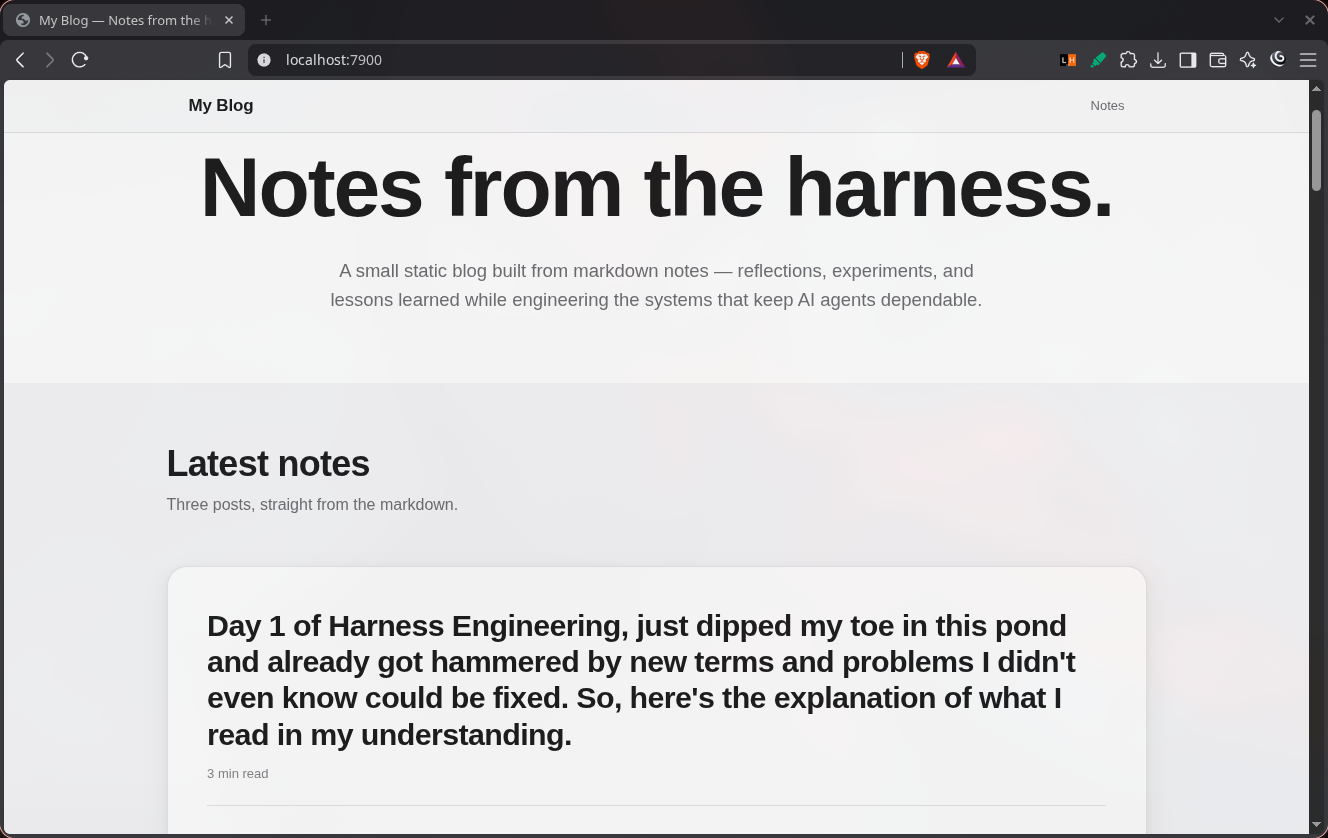
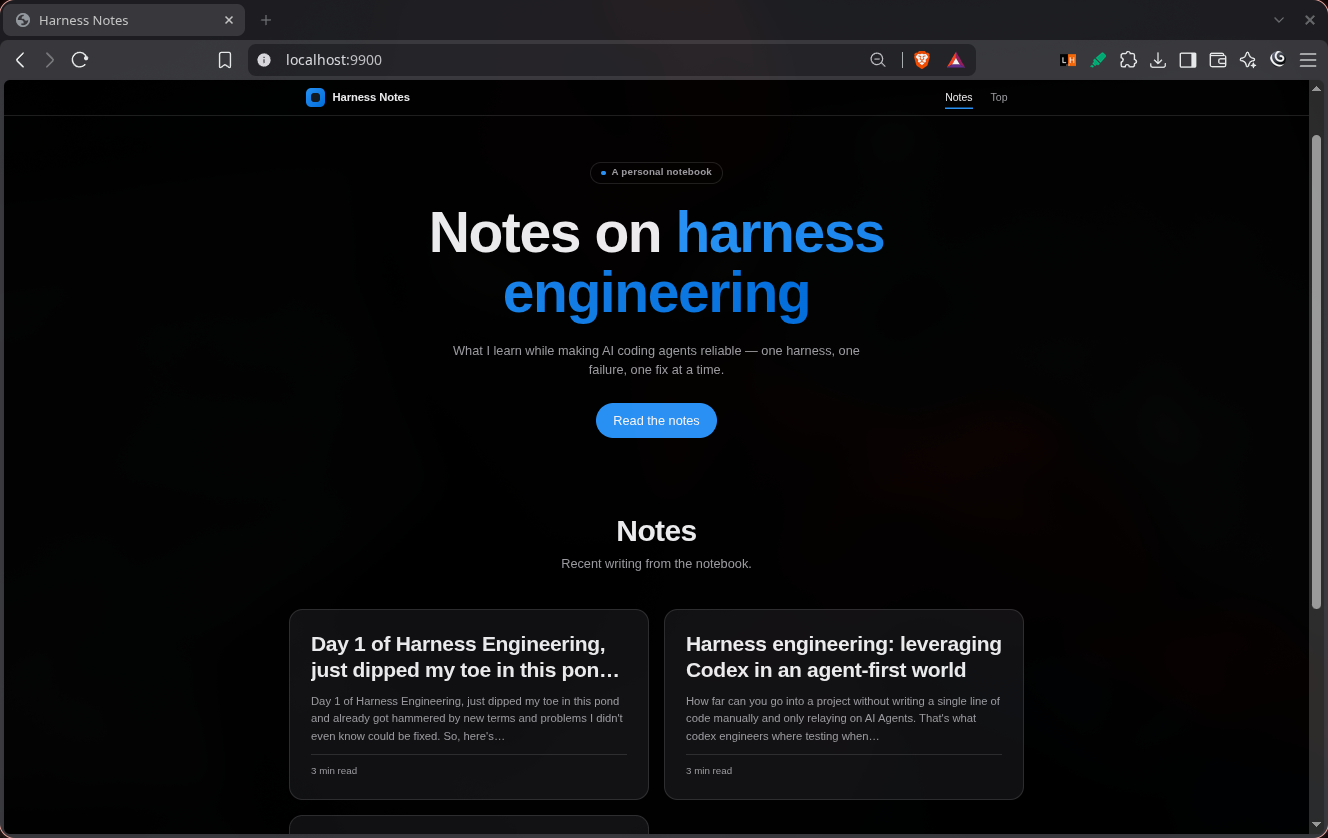
The difference between the two runs was surprisingly significant.
I used two identical codebases: one in the stat directory and another in the harness directory. The only meaningful difference was that the harness directory contained the agent files.
Both directories were given the exact same prompt and were run using the same model: DeepSeek V4 Flash Free.
The difference in outcomes was far greater than expected.
Some differences in the stats were:
| Basis | Without Harness | With Harness |
|---|---|---|
| Time Taken | 11 min 58 sec | 17 min 22 sec |
| Tokens Used | 69.8k | 137.8k |
| Verification | Basic | Created verification standards |
| HTML File | ~200 lines | Nearly 1,000 lines |
The most interesting difference wasn't the extra time or token usage. The same exact model, on the same exact task, used nearly twice as many tokens.
Without the harness, the model was much more direct. It implemented the requested functionality, performed relatively basic checks, and considered the task largely complete.
With the harness, the model worked more in a to-do-list manner against a set of provided standards. It spent significantly more time reasoning through changes, checking its work, and applying the verification standards defined by the harness.
That resulted in almost 2× the token usage and more execution time.
Since I used the free version of the model, there was no cost attached to the additional token usage.
Visual Result
Original
Stat
Harness
The Important Takeaway
The harness didn't make the model faster or cheaper. If anything, it made it slower and burned through more tokens overall.
But it also made the model more reliable.
The interesting part was seeing the output come to life. With the harness, it spent more effort verifying its work and following explicit standards instead of simply implementing the task and calling it done.
So, did the harness save resources?
It clearly didn't.
The better question is:
Did those extra resources lead to better software?
That's what I want to test next: whether the harness actually improves reliability and quality, or simply makes the model work harder.
Prompts Used
Create Harness
textRead the provided codebase files: `index.js`, `index.html`, and `styles.css`. You cannot access or modify the parent directory.

Your task is to build a **production-level agent harness** around this codebase.

### Create this structure

```text
AGENT.md
ARCHITECTURE.md
RULES.md

DESIGN/
├── core.md
└── docs/
    ├── ui.md
    ├── ux.md
    └── visual-system.md

Add other harness files/directories if they are genuinely useful. Keep the structure clean and purposeful.


### Requirements

- Analyze the existing code before changing anything.

- Preserve existing functionality unless an improvement is necessary.

- Build the website with a **premium Apple-like UI/UX**: typography, spacing, hierarchy, motion, responsiveness, navigation, interactions, and visual polish.

- Use **Apple's official website as the primary design reference/template** for the design language, layout patterns, interaction quality, and visual hierarchy. Do not blindly copy content or assets.

- Make the implementation production-quality, responsive, accessible, performant, and maintainable.

- The harness files must contain clear instructions that future coding agents can actually follow.

- `AGENT.md` should define how an agent should work on this project.

- `ARCHITECTURE.md` should document the system structure, components, dependencies, data flow, and important implementation decisions.

- `RULES.md` should contain strict coding, design, UX, accessibility, performance, and verification rules.

- `DESIGN/core.md` should define the core visual/design principles.

- `DESIGN/docs/` should contain detailed supporting design documentation.


### Mandatory verification

After completing the implementation, **do not immediately declare it finished**.

Perform a final verification pass:

1. Inspect the complete implementation.

2. Compare the result against Apple's website and several other top-tier production websites for UI/UX quality.

3. Check responsiveness, spacing, typography, interactions, accessibility, visual hierarchy, performance, and consistency.

4. Identify anything that looks amateur, inconsistent, unfinished, or below production quality.

5. Fix those issues.

6. Run the verification again.

7. Only then confirm the build is complete.


The final result should feel like a **real production website built by a senior frontend engineer and designer**, not an AI-generated demo.
Frontend Upgrade
textYou are working ONLY inside the current directory.

**Access restriction**

- You may read, write, create, and modify files only in the current directory.
- You MUST NOT access, read, write, inspect, or modify the parent directory or any sibling directory.
- Do not search outside the current directory.

**Codebase**

- `index.html`
- `index.js`
- `styles.css`

**Task**

Upgrade the existing frontend into a polished, production-quality website inspired by Apple's website design language.

- Keep the existing functionality intact.
- Improve layout, typography, spacing, animations, responsiveness, and visual hierarchy.
- Use Apple's design principles as the visual reference: minimal, premium, clean, spacious, smooth, and highly polished.
- Do not blindly copy Apple's content or branding.
- Modify only the necessary files in the current directory.

Before finishing, inspect the final code and verify that the website is responsive, visually consistent, and free of obvious UI or console errors.